Most travellers buy a travel eSIM once or twice a year, yet almost every major provider asks you to download a 150 MB app, register an account, verify an email address and allow push notifications before you can even see a QR code. None of that is required by the eSIM standard itself. Your phone already has eSIM installation built into iOS and Android settings.
You can buy, install and check remaining data on a travel eSIM without installing a dedicated shopping app or creating a passworded account.
Why most eSIM providers push an app
An eSIM is just a carrier profile loaded onto the eUICC chip already inside your phone. Once the profile is installed, the provider’s app does not touch your mobile signal, switch towers or speed up your connection.
Providers push apps for commercial reasons rather than technical ones:
- Direct-install buttons inside an app feel slightly easier than scanning a QR code from a second screen, though iOS 17.4+ and modern Android phones also support one-tap universal install links directly from a browser or chat.
- Push notifications and loyalty loops keep you opening their store before your next flight.
- Account dashboards hold your order history, referral credits and top-up cards in one place.
Those conveniences are fine if you fly every month. If you just landed at Narita or Heathrow and want 5 GB of data before leaving the terminal, signing up for another account on flaky airport Wi-Fi is pure friction.
How app-free eSIM buying compares across providers
Not every provider handles guest checkout the same way. Some let you pay on the web without an app, while still asking for an email login to pull up your eSIM later. Others lock top-ups or usage checks inside their app.
| Provider | Buy without an app? | Account required to buy? | How you receive & manage the eSIM |
|---|---|---|---|
| Atli | Yes (web, WhatsApp, Telegram, MCP) | No (guest checkout or chat) | QR code, one-tap install link and data / usage check in chat or browser |
| Holafly | Yes (website checkout) | Email required for delivery | Email with QR code and manual details; app optional |
| Airalo | Website works | Yes (Airalo account required) | Account dashboard or app under My eSIMs |
| Ubigi | Initial web purchase available | Yes (Ubigi account required) | App strongly recommended for usage and zero-Wi-Fi top-ups |
| Saily | Account and app flow | Yes (Nord account required) | Saily app required to install and manage plans |
Check the current checkout flow before paying, because providers change guest rules frequently. If you want a deeper head-to-head on prices and coverage, compare Atli vs Airalo, Atli vs Holafly or Atli vs Saily.
Four ways to buy an Atli eSIM without an app
Atli sells the same 200+ destination catalogue across every channel, and every channel loads plans onto the same reusable Atli eSIM profile.
1. Guest checkout in your browser
Open HeyAtli.com, pick your destination and data tier, and pay on Stripe’s checkout page. You do not need to create a password or download an app. Your browser receives the QR code, one-tap install button and manual SM-DP+ activation details immediately after payment, and you can look up your eSIM later using its ICCID and activation link.
If you later want to reach that same eSIM from a different phone or computer, you can optionally attach an email, Apple, Google or chat login so your existing guest eSIM moves into your account.
2. Inside WhatsApp
If WhatsApp is already on your phone, you can buy without leaving the app you already use. Open Atli’s verified WhatsApp account (@atliesim, +1 424 445 3187) via WhatsApp, type your destination and trip length, pick a plan and complete payment through Stripe’s encrypted link. Your QR code and Install my eSIM button arrive in the same thread.
The full five-step walkthrough is in How to buy an eSIM on WhatsApp.
3. Inside Telegram
Telegram works the same way through @AtliEsimBot via Telegram. Send your destination, review the fixed and unlimited tiers, pay on Stripe and tap Install my eSIM in the reply. Type data or usage in the same chat during your trip to see what is left, or message the same thread when you need a human support reply.
4. Inside ChatGPT, Claude, Gemini or Muse
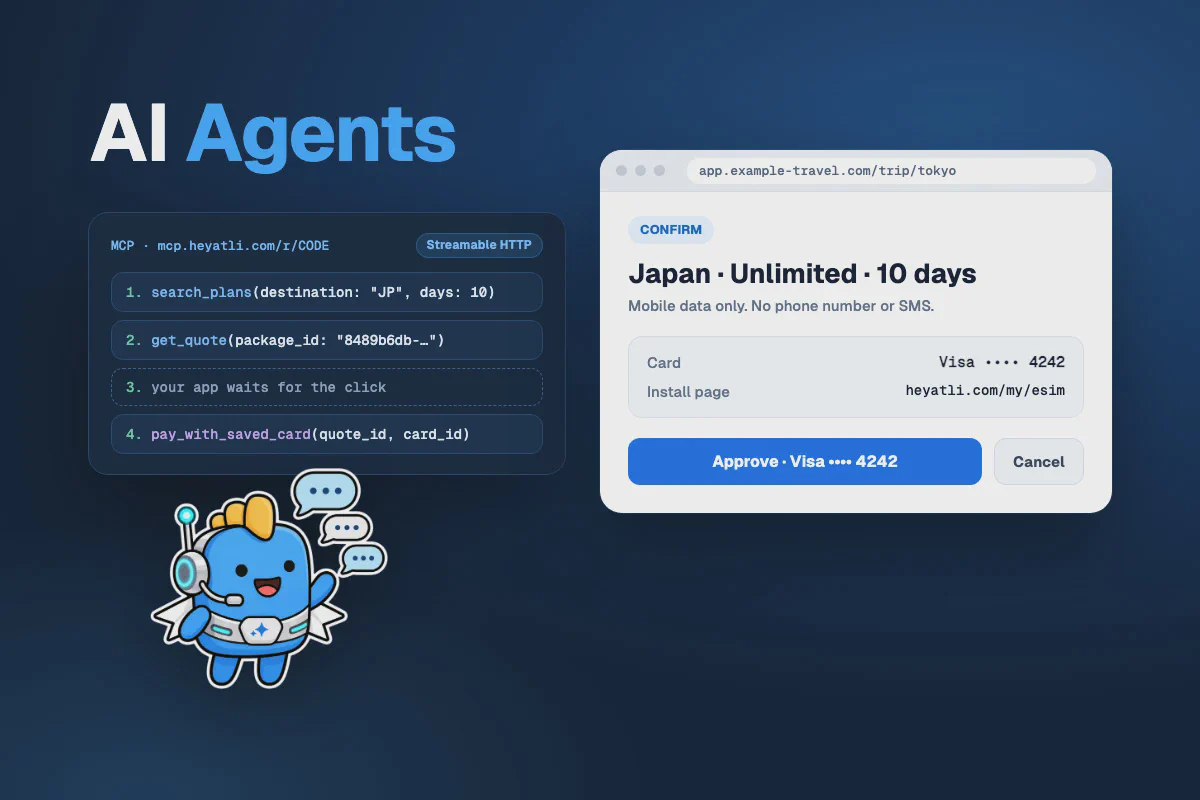
If you are already planning your trip in an AI assistant, you can enable Atli eSIM directly from ChatGPT’s Apps & Connectors directory or add https://mcp.heyatli.com once in Claude, Gemini, Muse or another MCP client. The assistant checks device compatibility, shows live prices in your currency, generates a secure heyatli.com/pay Stripe payment link and returns installation steps and a QR code right in the conversation — starting as a guest with no account required. Full setup steps live at heyatli.com/mcp.
Installing an eSIM without an app
Your phone’s operating system handles installation directly:
- Check compatibility first. Dial
*#06#and look for an EID number, and confirm your phone is carrier-unlocked. See Is my phone eSIM compatible? if you are unsure. - Install on stable Wi-Fi before departure. Tap the one-tap install link on iOS 17.4+ or Android, scan the QR code from a second screen or copy the SM-DP+ address and activation code into Settings > Cellular / Mobile Network > Add eSIM. Step-by-step screenshots are in our iPhone and Android install guides.
- Keep the travel line off until you land. Installing an Atli profile does not start the clock. The validity period begins when the eSIM connects to a supported network at your destination or 30 days after purchase, whichever comes first.
- Switch data on arrival. Turn on the Atli eSIM, select it for mobile data, enable Data Roaming on the Atli line and turn Data Roaming off on your home SIM so you avoid home-carrier roaming charges.
Keep the Atli eSIM installed after your trip ends. Data plans expire; the eSIM profile does not. When you buy another plan for your next destination, it attaches to the same profile automatically.
When a provider app is still worth installing
Going app-free is not always the right call. A dedicated app makes sense in three situations:
- Offline top-ups when you hit zero. Ubigi lets you open its app over its own eSIM connection even after your balance reaches 0 MB, which helps if you run dry far from Wi-Fi.
- Bundled app-only features. Saily’s web protection, ad blocker and virtual location tools only run inside the Saily app.
- Managing several family devices from one login. If you regularly top up eSIMs for three or four family members and want every receipt, voucher and balance widget on one home screen, an app dashboard (including Atli’s optional mobile app) is handy.
For most solo and short-trip travellers, none of those justify another login on your phone. Buy through the browser or chat you already have open, install through iOS or Android settings and keep your home screen clean.
Checked against Atli’s live web guest checkout, WhatsApp, Telegram and MCP flows and competitor onboarding flows, November 2026. Atli travel plans are data-only and do not include a phone number, cellular calls or SMS.
FAQ
Can I really use a travel eSIM without downloading the provider's app?
Do I need to create an account to buy an Atli eSIM?
How do I check my remaining data without an app?
data or usage in the same chat. If you bought on the web, reopen your install link to view live usage, or ask your connected AI assistant. You can also track data in your phone’s cellular settings.