There are three common ways to get your phone online abroad: an eSIM you install before you fly, a plastic SIM from an airport counter, and a pocket wifi box you rent and carry. All three work. They differ in when you get online, what you carry, and what can go wrong.
How they compare
| Atli eSIM | Airport SIM | Pocket wifi | |
|---|---|---|---|
| When you get online | Before you arrive, if installed at home | After the queue at the counter | After pickup, while its battery lasts |
| What you carry | Nothing | A tray pin and your old SIM in a pocket | A box, a cable, a charger |
| Your own number | Keeps working for calls and texts | Out of the phone, unreachable | Keeps working |
| Fits how many | Each phone its own plan, hotspot when needed | One phone per SIM | Several devices on one box |
| What can go wrong | Phone must be eSIM-capable and unlocked | Losing your home SIM; registration paperwork | Battery dies mid-afternoon; return deadlines; deposit |
| Price shape | The plan price, known before you fly | Varies by country, with an airport markup | A daily rental fee plus a deposit |
Where the eSIM wins
The eSIM’s whole pitch is that nothing happens at the airport. You buy at home, by typing your destination into WhatsApp or Telegram, install in two minutes on wifi, and the phone connects when the wheels touch. No counter, no queue, and your own SIM never leaves the phone, so your number keeps taking calls and texts. The price is on the screen before you commit, which counts for more than it sounds like when the alternative is a counter in a language you do not read. Installing before you fly is what makes the rest of it work.
The catch is hardware, and it is two separate conditions. The phone needs eSIM support, and it needs to be carrier-unlocked. Dial *#06#: an EID on that screen confirms the hardware, and tells you nothing about the lock. The compatibility guide covers both checks, including how to ask a carrier about unlocking.
Where pocket wifi still earns its keep
A family of five with three phones, a tablet and a laptop can ride one box all day, and for that shape of trip the daily rental can beat five separate plans. It also rescues the one phone in the group that is carrier-locked or too old for eSIM. That case is real, and it is the case worth renting for.
The costs are practical rather than financial. The box is one more thing to charge every night and one more thing to leave in a taxi. It usually carries a deposit and a return deadline on the way out, which shapes your last morning. When its battery dies at four in the afternoon, everyone’s internet dies with it. And it does nothing for calls or texts.
Before renting one purely on price, check the arithmetic against sharing. A phone with an eSIM can hand out its connection too, and on Atli plans hotspot is included with no separate meter, so two or three people can lean on one large plan. A laptop spends data several times faster than a phone, so size the plan up if you are the one sharing.
Where the airport SIM fits
The counter still makes sense when the phone cannot take an eSIM and there is no group to justify a box. It works, and in some destinations local prices are genuinely low once you get past the airport branches.
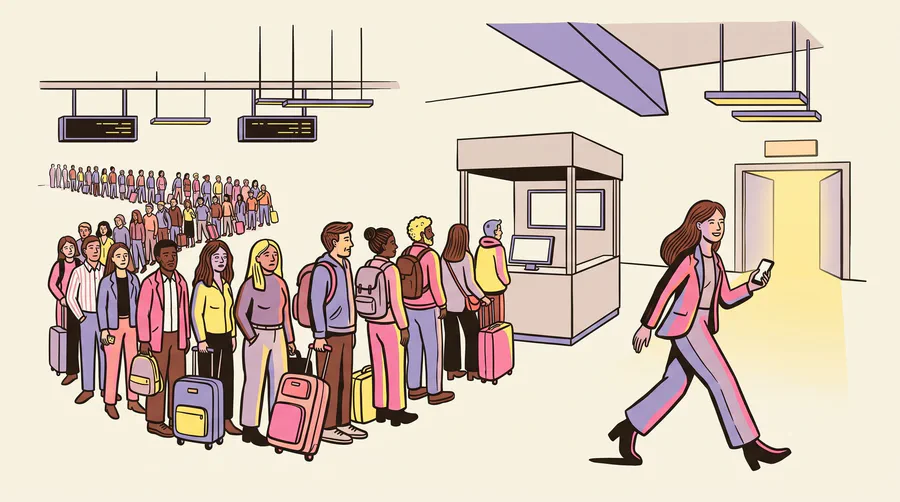
Plan for the friction. There is a queue exactly when you least want one. Several countries require passport registration for SIMs, which adds forms to your first hour. Your own SIM comes out, so texts to your number stop arriving until you swap back, and that includes bank verification codes. Keeping both lines live is the thing an eSIM does that a swap cannot, which the dual SIM guide goes through. And the tiny plastic tray pin becomes the most important object you own.
Picking by trip
- Solo or couple, city trip: eSIM. Installed at home, done.
- Family with mixed phones: an eSIM on every phone that supports one, and a rented box only if most of them do not.
- Business trip with a laptop: a large or unlimited plan, shared by hotspot.
- Phone locked to a home carrier: the box or the counter this time, and ask the carrier about unlocking before the next trip.
- Several countries in one run: a regional plan crosses borders without new hardware in each arrivals hall. Atli’s Europe plan covers 34 countries on one purchase, and the global plan covers 88. A rented box is usually tied to the country you rented it in.
Buying for several people at once differs between providers too. The Truely comparison covers its group checkout and its network-selection option.
Regional coverage counts checked against Atli’s current price list, August 2026. Airport SIM prices, registration rules, and pocket wifi rental terms vary by country and by company; confirm the deposit and the return deadline before you book one.