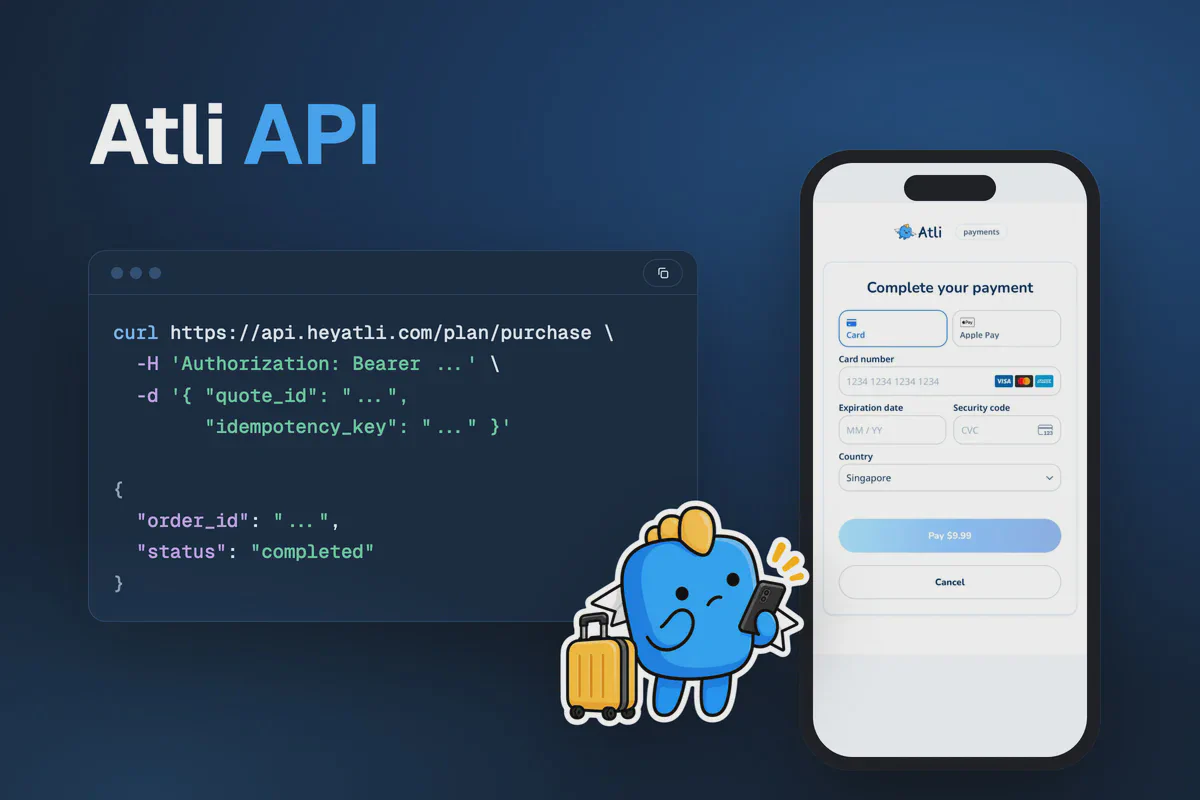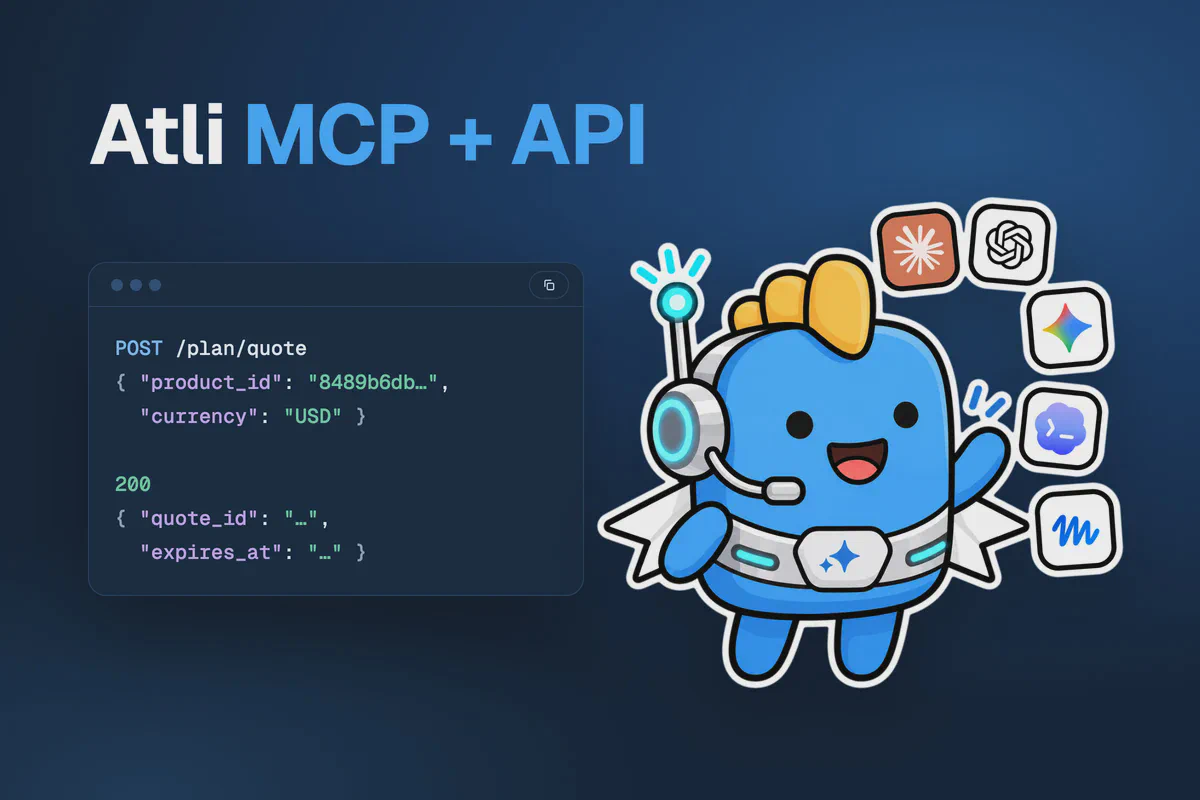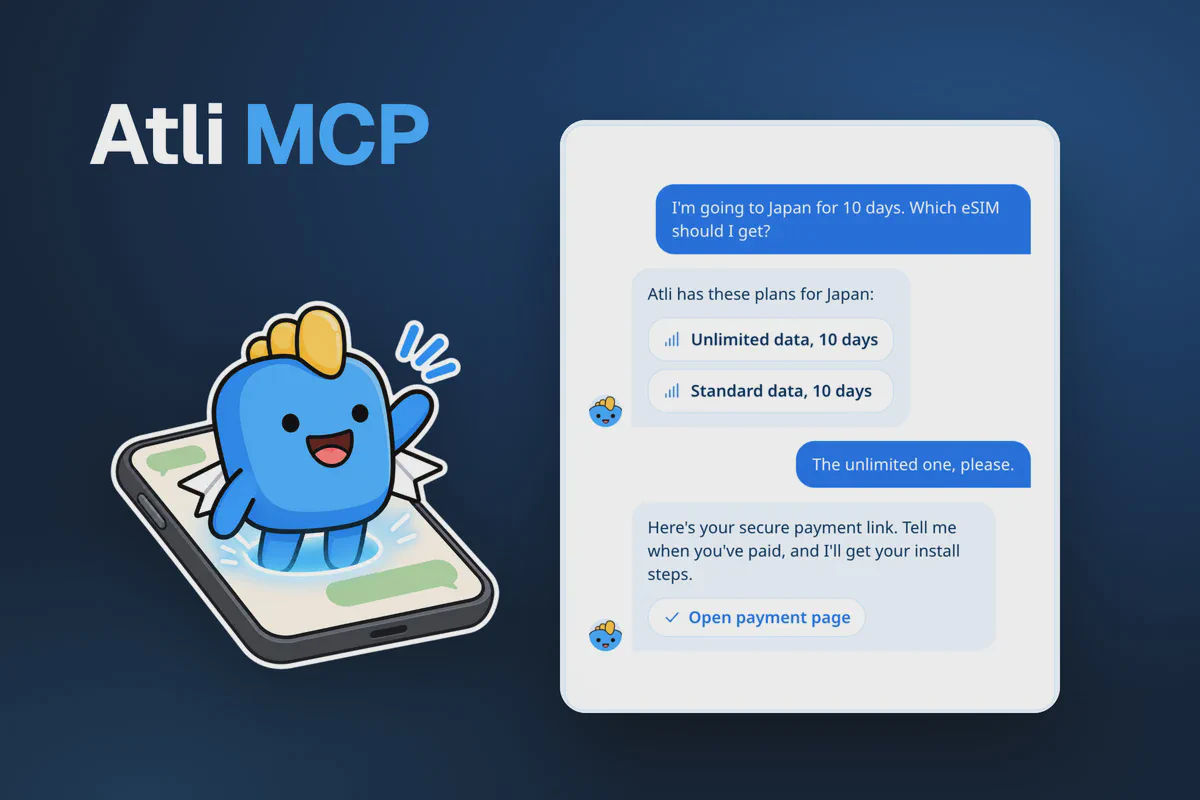
Atli provides a public MCP server that allows AI assistants to sell travel eSIMs. Through the integration, assistants can search for plans, check device compatibility, process orders and provide eSIM installation instructions.
Model Context Protocol (MCP) is an open standard that allows AI assistants to interact with external tools and services. Atli’s MCP server provides access to its live eSIM catalogue, ensuring that plan information and prices come directly from Atli rather than the AI assistant’s existing knowledge.
Your partner code is included in the MCP server URL. New customers who purchase as guests through an assistant connected to that URL are attributed to your partner account. This applies to both AI assistants you develop and supported third-party assistants configured with your MCP address.
Your MCP address
Sign in at partners.heyatli.com and open MCP Server. The address there carries your partner code and has a copy button.
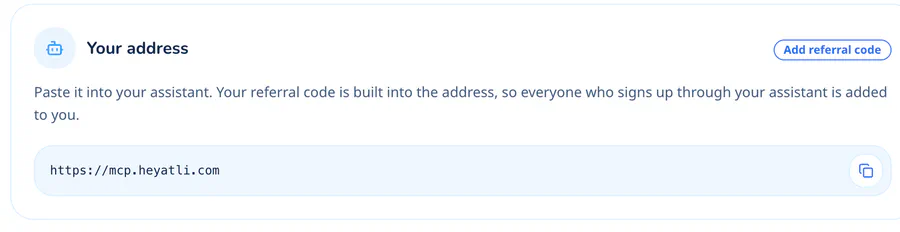
To construct the URL directly, add your partner code after /r/:
https://mcp.heyatli.com/r/YOUR_CODENew guest customers who purchase through your MCP URL are attributed to your partner code. If your code includes a discount, it applies to their first order.
The standard URL, https://mcp.heyatli.com, also supports purchases but does not provide partner attribution. Always use your complete referral URL to track eligible sales.
Connecting ChatGPT, Claude and Gemini
Setup menus may change as AI platforms update their interfaces. If the instructions differ from what you see, consult the platform’s documentation for custom MCP servers or connectors.
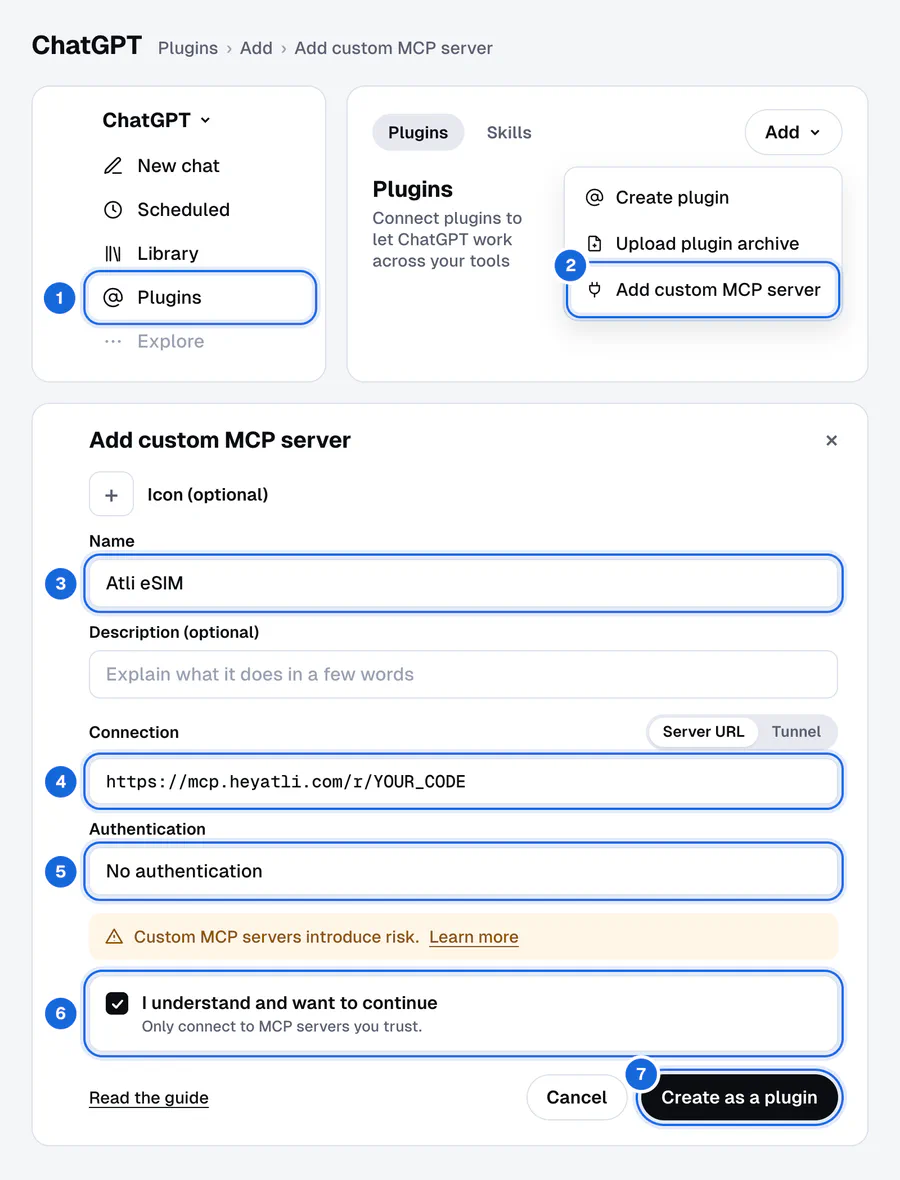
ChatGPT. Open Plugins in the sidebar, choose Add and then Add custom MCP server. Name it Atli eSIM, keep Server URL selected, paste the address and set Authentication to No authentication. Tick I understand and want to continue and choose Create as a plugin, then install the plugin and try it in a new chat. OpenAI gives custom MCP servers full support on Business, Enterprise and Edu, where workspace admins decide who can add them. On Pro it allows read and fetch actions only, so expect plan lookups to work there and buying not to. If the option isn’t in the menu, your plan or workspace doesn’t offer it.
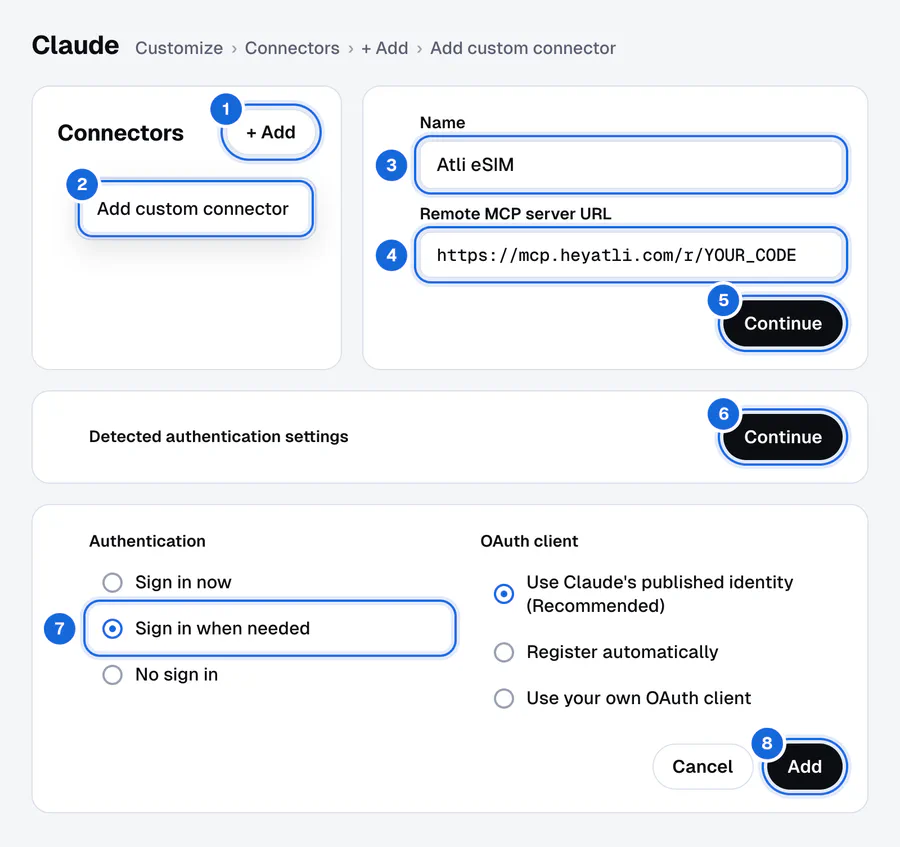
Claude. Open Customize, then Connectors. Choose + Add, then Add custom connector. Name it Atli eSIM, paste the address and choose Continue, then Continue again past the authentication settings Claude detects. Under Authentication choose Sign in when needed, keep Claude’s recommended OAuth client and choose Add. Claude prompts users to sign in to Atli only when an operation requires account access. On Team and Enterprise plans an owner adds the connector under Organization settings, and members then choose Connect. On the Free plan, Claude allows one custom connector.
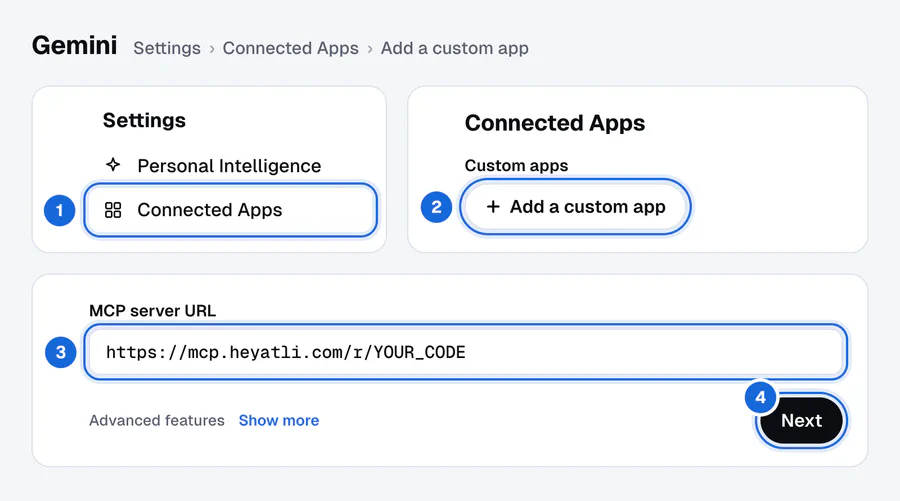
Gemini. On gemini.google.com, open Settings, then Connected Apps. If it isn’t there, look under Personal Intelligence. Under Custom apps, choose Add a custom app, paste the address, choose Next and follow the steps. Gemini doesn’t ask for a name, and Atli’s server introduces itself as Atli eSIM. Gemini has additional eligibility requirements. Custom apps need a personal Google account and History turned on. They only work in English, and you have to be 18 or over and in the US. Once configured through the web interface, the custom app is also available in the Gemini mobile app.
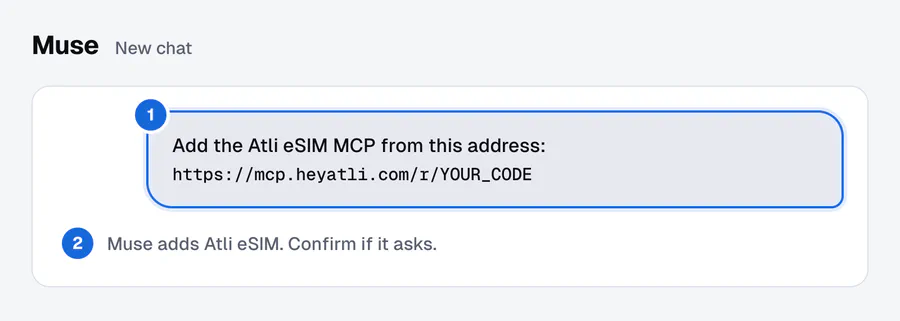
Muse. Ask Muse in these words: “Add the Atli eSIM MCP from this address: https://mcp.heyatli.com/r/YOUR_CODE”. Confirm if Muse asks.
Claude Code. One command adds the server:
claude mcp add --transport http atli-esim https://mcp.heyatli.com/r/YOUR_CODECursor, VS Code and other apps. Add a remote MCP server, name it Atli eSIM if the app asks, paste the address and leave sign-in empty. Any app that supports remote MCP servers over Streamable HTTP works.
Then ask the kind of thing a traveller would: “eSIM plans for Japan for 10 days, in euros”.
What the assistant can do
The MCP reference provides a live list of available tools and their input parameters.
- Finding a plan.
search_planssearches by destination, duration, data allowance and currency.get_planprovides additional plan details, including supported networks.list_destinationsretrieves available destinations, whilecheck_device_supportchecks eSIM compatibility for phones, tablets and watches. - Purchasing.
get_quoteretrieves the final price, including applicable discounts.start_purchasecreates an order and generates a payment link.get_order_statuschecks order progress, whilecancel_orderandget_receipthandle cancellations and receipts. - After purchase.
get_install_instructionsprovides two links for the person who will use the eSIM. One opens it in the Atli app, and the other installs it from a browser and shows the remaining data without an Atli account. It also provides a QR code, installation links for iPhone and Android, and manual installation instructions.list_my_esimsretrieves the customer’s eSIMs, whilerefresh_usageupdates available data usage information. - Additional features. The server also supports eSIM sharing, saved payment methods, vouchers, Atli Credits, access to help articles and Atli Group management.
How payment works in a chat
Payment card details are not shared with the AI assistant or its provider. Customers receive a link to Atli’s secure payment page, where Stripe processes the payment and displays the total before confirmation.
Customers with a saved card can also pay within the chat. Atli’s server instructs the assistant to charge it only after the customer has reviewed the price and the selected card and explicitly approved both. A general request to purchase an eSIM does not count as that approval. This requirement is not independently enforced by the server.
Customers can purchase eSIMs as guests without signing in. The assistant maintains a guest key associated with the conversation, allowing customers to return to the same chat to access installation instructions or check their remaining data. The install links also work outside the chat. They open the eSIM in the Atli app or on heyatli.com, which shows the remaining data without an account.
Customers who sign in to Atli can access eSIMs associated with their account across supported conversations. Authentication takes place on heyatli.com, so passwords and verification codes are not shared through the chat.
Building your own agent
Custom agents can connect to Atli’s MCP server using Streamable HTTP. The following example uses the official TypeScript SDK:
import { Client } from '@modelcontextprotocol/sdk/client/index.js';
import { StreamableHTTPClientTransport } from '@modelcontextprotocol/sdk/client/streamableHttp.js';

const client = new Client({ name: 'my-travel-agent', version: '1.0.0' });
await client.connect(
  new StreamableHTTPClientTransport(new URL('https://mcp.heyatli.com/r/YOUR_CODE'))
);

const result = await client.callTool({
  name: 'search_plans',
  arguments: { destination: 'Japan', days: 10, currency: 'EUR' },
});
console.log(result.content[0].text);
The first purchase-related tool call creates a guest account and returns a guest_key. Store this key securely in the user’s conversation session and include it in subsequent requests.
The guest_key identifies the guest account and provides access to its associated eSIMs.
For testing, connect to the Sandbox server at https://staging.public.mcp.heyatli.com/r/YOUR_CODE. Sandbox supports test payments using Stripe’s test card number 4242 4242 4242 4242. Sandbox eSIMs come from a test carrier, so they can’t be installed on a phone, and Sandbox sales never earn commission.
When the MCP reference is switched to Sandbox, it also provides a Try button for testing individual tools.
How MCP sales are credited
New guest customers who purchase through your MCP URL are attributed to your partner code.
Attribution for customers who sign in to existing Atli accounts requires additional activation by Atli. Once a customer is successfully attributed to your partner account, eligible future purchases across Atli channels are included in your referral earnings.
For details on commissions and payouts, see How the Atli affiliate program pays. The Atli API guide covers applications requiring a custom interface.